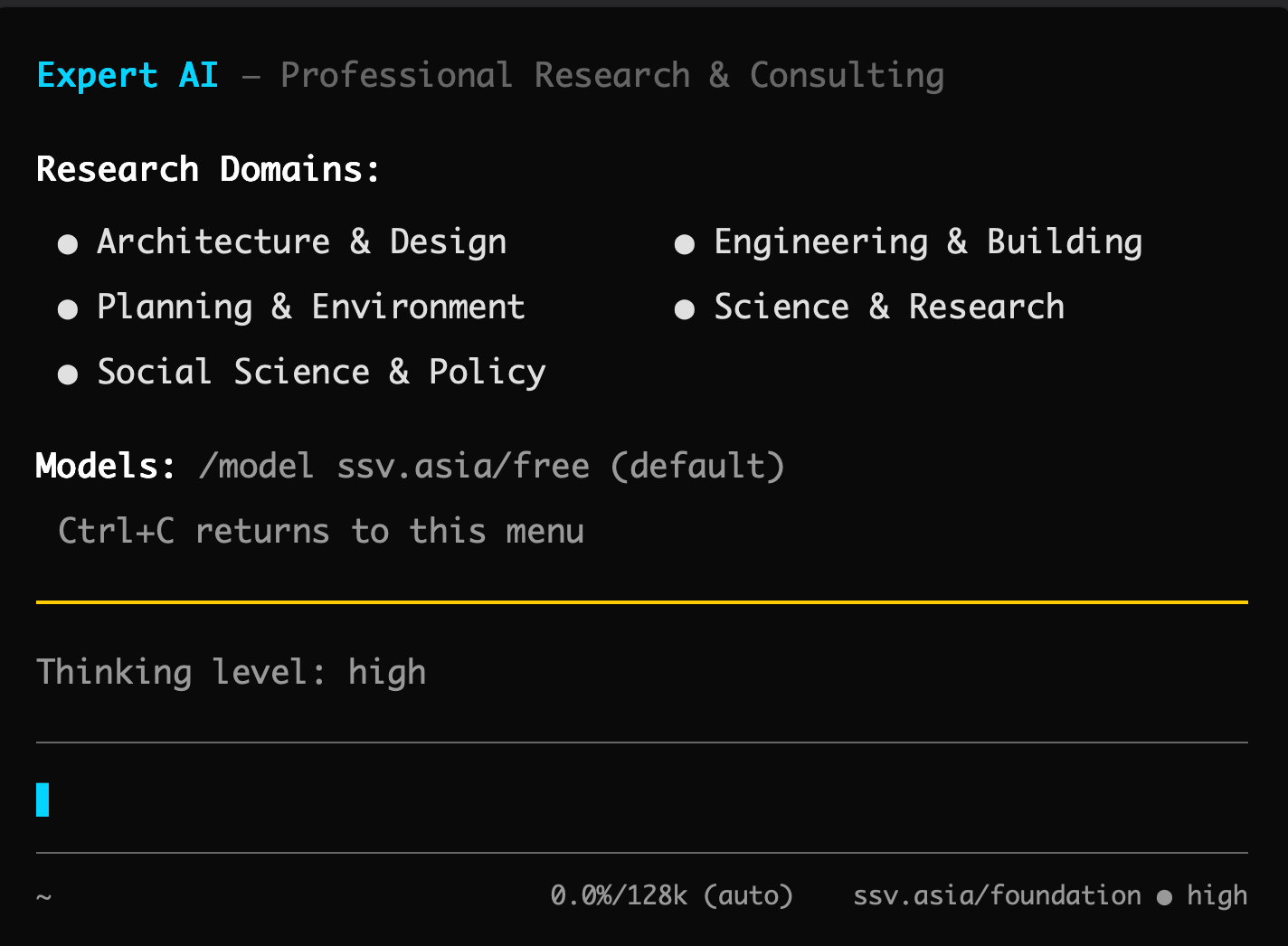
Air-gapped digital brain for AI/ML R&D · 200+ frontier models · one-time fee, no subscription
Get the Pro Version on Gumroad Instant access · 875 MB · lifetime updates ₹18,600 from ₹15,758 →Advanced Agentic LLM terminal via USB with Rigorous Domain Expertise. Includes 5 agents, 33 tools, on demand support, prepaid usage of 200+ Frontier American, European and Chinese AI models. Persistent long term memory out of the box without sign up.
Code, build, improve at affordable cost and lower carbon footprint.
Use 5+ agents at once, Built for business executives, researchers and engineers.
Save time, reduce errors and improve speed.
Hello fellow traveller if you have reached this landing, consider yourself privileged and fortunate to be exploring the cutting edge of technical AI/ML development, Join the movement for the benefit of the Human race and the World.
We are a bootstrapped and profitable AI/ML Research Lab based out of Chandigarh, India.
Research Agents & Knowledge Graphs developed, maintained & funded by Ar. Samar Singh Virdi
Advanced Agentic LLM Terminal
"Code, build, improve at affordable cost and lower carbon footprint. Use 5+ agents at once. Built for business executives, researchers and engineers."
Multi-Model Intelligence
- Open-AI (GPT-4o, GPT-4, GPT-5.5)
- Anthropic (Claude Haiku, Sonnet, Opus)
- Google (Pro/Flash)
- Meta (Llama 3.1, Llama 3)
- Mistral (Large, Medium, Small)
- 100+ open-source models via Open-Router, Hugging Face, Modal or Run Pod
- Pay-as-you-go pricing with no long-term contracts
Zero Data Retention Architecture
- Zero data retention — queries aren't stored or used for training
- Full data sovereignty — proprietary data never leaves your machine
- Local-first capability — 30-second setup with USB, no sign-in required
- Offline operation — continue working safely without internet connectivity
Persistent Long-Term Memory
- Deep knowledge graphs that retain context across sessions
- Contextual recall improves with every interaction
- Automatic knowledge graph generation from research
- Project history and research continuity without manual prompting
- Cross-session context retention across weeks and months
5-Agent Multi-Agent Engine
- Coordinated through your central terminal environment
- Forked contexts for isolated validation
- Parallel execution architectures across workflows
- Advanced agentic multi-agent orchestration engines
Physical Intelligence via USB
- Plug-and-play USB installer — no complex setup needed
- Portable across machines without reconfiguration
- Persistent environment parameters on removable media
- Optional local model execution (free forever, no cloud costs)
- Full terminal environment with dependencies pre-configured
🏆 Recognized Excellence — How Expert AI Terminal Compares
| Feature | Expert AI Terminal | Generic AI Tools | Enterprise Solutions |
|---|---|---|---|
| Multi-Model Access | ✓ Full Support | — Not Available | ✓ Full Support |
| Local-First Architecture | ✓ Full Support | — Not Available | — Not Available |
| Persistent Memory | ✓ Full Support | — Not Available | ✓ Full Support |
| Research Paper Access | ✓ Full Support | — Not Available | — Not Available |
| AEC-Specific Tools | ✓ Full Support | — Not Available | — Not Available |
| API & Automation | ✓ Full Support | — Not Available | ✓ Full Support |
| Zero Data Retention | ✓ Full Support | — Not Available | ✓ Full Support |
| Pay-As-You-Go Pricing | ✓ Full Support | ⚠️ Limited | — Not Available |
| Obsidian Integration | ✓ Full Support | — Not Available | — Not Available |
| Affordable Entry Price | ✓ Full Support | ⚠️ Limited | — Not Available |
Six Core Use Cases
Expert AI Terminal is a unified intelligence system for coding, research, workflows, and AI-powered productivity combining 33+ specialized tools into a single terminal interface.
Software Development
- Multi-Language Support: Python, JavaScript, TypeScript, Rust, Go, Java, C++, C#, PHP, Ruby, Swift, Kotlin, and more
- Real-time debugging, error analysis, and stack trace interpretation
- Code review, refactoring suggestions, and performance optimization
- Automated test generation, coverage analysis, and edge case detection
- Documentation auto-generation from code and structural docstrings
Academic Research
- Full-text paper search with semantic understanding and relevance ranking
- Literature review synthesis across multiple papers and research areas
- Citation management, provenance tracking, and reference validation
- Paper-to-code audit: compare claims against public codebases
- Reproducibility verification and methodology assessment paradigms
Architecture & Engineering
- Design formula library (MathBook integration) with structural calculations
- BIM data analysis, optimization, and clash detection
- Building code compliance checking and regulatory verification mapping
- Spatial analysis, visualization, layout optimization, and generative design
- Note: Architects and engineers have the longest screen time in offices after computer science professionals—Expert AI Terminal serves both with equal depth
Knowledge Management
- Obsidian vault sync with real-time graph visualization engine
- Persistent memory across sessions with multi-week context retention
- Automated note linking and bidirectional backlink frameworks
- Canvas workspace for visual thinking and structured mind mapping
- Universal search across all markdown collections and structural systems
Data Analysis
- Multi-format data import: CSV, TSV, JSON, JSONL, Excel, SQL, Parquet
- Statistical analysis, modeling, and automated hypothesis testing
- Interactive visualization generation natively via Vega-Lite structures
- Automated report generation built out with embedded charts and summaries
- Data cleaning, transformation, and multi-format normalization tracks
Content Creation
- Email and message drafting with real-time tone adjustment engines
- Technical documentation and API reference structure generation
- Content editing, proofreading, and advanced style refinement rules
- Markdown and LaTeX support tracking with deep mathematical formatting
- Multi-language support and international translation assistance maps
Core Capabilities — 33+ Specialized Tools
Deep structural commands mapped across system runtimes for executing complex technical automation.
Supported File Formats
Native verification engines configured to parse complex technical files automatically.
Code & Configuration
- .py, .js, .ts, .jsx
- .tsx, .rs, .go, .java
- .cpp, .c, .cs, .php
- .rb, .swift, .kt, .sh
- .json, .yaml, .toml, .sql
Documents & Text
- .md, .markdown
- .pdf (with OCR)
- .docx, .doc
- .txt, .rtf
- .tex, .latex, .odt
Data & Spreadsheets
- .csv, .tsv
- .xlsx, .xls
- .json, .jsonl
- .sql, .db
- .parquet, .arrow
Images & Research
- .png, .jpg, .jpeg, .gif
- .webp, .tiff, .bmp, .svg
- .pptx, .ppt, .odp
- arXiv research papers
- Zotero / BibTeX files
Use Cases by Role & Workflow Examples
Explore how multi-disciplinary engineers run end-to-end terminal prompts to bypass standard communication bottlenecks.
Target Personas
- Business Executives: Research market trends with cited briefs and perform due diligence with source verification.
- Researchers & Grads: Automate systematic reviews (/lit) and run paper-to-code structural validation audits.
- Software Engineers: Deep architectural decision tracking (/deepresearch) with library implementation analytics.
- ML/AI Engineers: Verify paper implementation parameters and establish Modal/RunPod GPU runtimes.
- AEC Professionals: Execute BIM computational automation scripts, building code compliance, and structural tracking.
Research-Driven System Design
→ 50+ sources analyzed, cited brief generated
/lib "how does EventStoreDB implement event sourcing"
→ Source code analysis with GitHub references
/code "generate Node.js CQRS example with EventStoreDB"
→ Full implementation with tests
write_to_obsidian
→ Decision document in vault, linked to ADR
Academic Literature Survey
→ 10,000+ papers scanned, synthesis generated
/peer-review "analyze my consensus survey for methodology"
→ Critical feedback, gaps identified
/paper-writing "draft introduction section"
→ Academic formatting with citations
write_to_obsidian
→ Structured survey in vault with backlinks
Pricing Plans & Context Scale
Massive Context Windows and Unlimited Throughput with no rate limits or usage caps. Designed for intensive research and development workflows.
Free Tier — $0 / month
- ✅ Doctoral-grade Research Archive (10,000+ papers)
- ✅ Members-only knowledge graphs
- ✅ MathBook for design formulas
- ✅ Digital Gallery & Collections
- ✅ Maps & Spatial Explorer
- ✅ Universal Search in Archive
- ✅ Canvas Workspace
- ✅ Free forever local AI models (no cloud costs)
- ✅ Basic Obsidian integration
Flagship — $150 one-time + $36/month
- ✅ Train AI on your proprietary data (local, private)
- ✅ Deep knowledge & persistent memory infrastructure
- ✅ Free forever local AI models
- ✅ Obsidian Graph Access & Sync
- ✅ Installer USB (plug-and-play removable media)
- ✅ Dedicated onboarding & priority support tracks
- ✅ Unlimited AI deployment structures
- ✅ Usage-based pricing for cloud models
- ✅ 200+ frontier AI model access & 5-agent multi-agent workflows
- ✅ All 33+ research and development tools natively unlocked
Supported Payment Methods
Razorpay (For Indian customers) ◆ PayPal (For international customers)
Start Free →Frequently Asked Questions
Clear structural responses mapping queries across compliance, operations, hardware, and billing architecture layers.
The Philosophy: Intelligence You Own
Infrastructure tracking configurations built out around professional data independence models.
Support & System Contact Architecture
📧 Email: mail@ssv.asia | 💬 WhatsApp Support: +91 99144 99477 — Instant support pipelines.
Supporting professionals building for a better future.
Built for Professionals Who Demand More
Six core differentiators that set Expert AI Terminal apart from generic AI tools.
Own Your Stack
- OpenAI, Anthropic, Google, Meta, Mistral, and open-source models
- Pay-as-you-go pricing with no long-term contracts
- Switch models mid-workflow without data loss
- Zero data retention architecture
- Multi-model workflows and comparison
Persistent Memory
- AI learns your patterns and preferences over time
- Contextual recall improves with every interaction
- Project history and research continuity
- Automatic knowledge graph generation
- Cross-session context retention
Local-First Architecture
- Your proprietary data never leaves your machine
- Optional features for pay as you go
- No subscription required for local models
- Offline-first capability
- No sign in set up in 30 seconds with USB
Research-Grade Tools
- Access to comprehensive research archive
- Literature review automation
- Paper-to-code audit capabilities
- Reproducibility verification
- Academic-quality analysis workflows
AEC-Optimized
- BIM assistance and data analysis
- Design formula library (MathBook)
- Building code compliance checking
- Spatial analysis and visualization
- Technical workflows for AEC professionals
Developer Ready
- IDE integration and code editor plugins
- REST and GraphQL API access
- Multi-language SDK support
- Full automation and scripting capabilities
- Extensible architecture for custom workflows
How Expert AI Terminal Compares
| Feature | Expert AI Terminal | Generic AI Tools | Enterprise Solutions |
|---|---|---|---|
| Multi-Model Access | ✓ | — | ✓ |
| Local-First Architecture | ✓ | — | — |
| Persistent Memory | ✓ | — | ✓ |
| Research Paper Access | ✓ | — | — |
| AEC-Specific Tools | ✓ | — | — |
| API & Automation | ✓ | — | ✓ |
| Zero Data Retention | ✓ | — | ✓ |
| Pay-As-You-Go Pricing | ✓ | ✓ | — |
| Obsidian Integration | ✓ | — | — |
| Affordable Entry Price | ✓ | ✓ | — |
How Professionals Use Expert AI Terminal
From software development to academic research, AEC design to knowledge management.
Software Development
- Multi-language support: Python, JavaScript, TypeScript, Rust, Go, Java, C++, C#, PHP, Ruby, Swift, Kotlin
- Real-time debugging, error analysis, and stack trace interpretation
- Code review, refactoring suggestions, and performance optimization
- Automated test generation, coverage analysis, and edge case detection
- Documentation auto-generation from code and docstrings
- Git integration, commit message generation, and branch management
- Architecture review and design pattern suggestions
Academic Research
- Full-text paper search with semantic understanding and relevance ranking
- Literature review synthesis across multiple papers and research areas
- Citation management, provenance tracking, and reference validation
- Paper-to-code audit: compare claims against public codebases
- Reproducibility verification and methodology assessment
- Knowledge graph generation from research findings
- State-of-the-art analysis and research landscape mapping
- Peer review simulation and constructive critique
Architecture & Engineering
- Design formula library (MathBook integration) with structural calculations
- BIM data analysis, optimization, and clash detection
- Building code compliance checking and regulatory verification
- Spatial analysis, visualization, and layout optimization
- Technical specification generation and documentation automation
- Material selection and cost estimation
- Project scheduling and resource planning
Knowledge Management
- Obsidian vault sync with real-time graph visualization
- Persistent memory across sessions with context retention
- Automated note linking and bidirectional backlinks
- Canvas workspace for visual thinking and mind mapping
- Universal search across all archives and collections
- Digital gallery and collections management
- Automatic tagging and semantic organization
Data Analysis
- Multi-format data import: CSV, TSV, JSON, JSONL, Excel, SQL, Parquet
- Statistical analysis, modeling, and hypothesis testing
- Interactive visualization generation with Vega-Lite
- Automated report generation with charts and summaries
- Data cleaning, transformation, and normalization
- Predictive analytics and machine learning workflows
- Time series analysis and forecasting
Content Creation
- Email and message drafting with tone adjustment
- Technical documentation and API reference generation
- Content editing, proofreading, and style refinement
- Markdown and LaTeX support with equation rendering
- Multi-language support and translation assistance
- Collaborative writing workflows and version control
- SEO optimization and content strategy
Research Workflows
Specialized workflows for academic research, literature review, and technical analysis.
Deep Research
- Search across 10,000+ papers and web sources
- Aggregate findings with full source attribution
- Generate cited research briefs
- Track provenance and verification status
Literature Review
- Survey papers in a research area
- Identify state-of-the-art approaches
- Map research landscape and trends
- Generate synthesis and comparison matrices
Paper Code Audit
- Extract paper methodology and claims
- Locate public implementations
- Compare code against paper descriptions
- Identify reproducibility issues
Replication Studies
- Plan replication methodology
- Set up experimental environment
- Run benchmarks and collect results
- Compare against original findings
Peer Review
- Analyze paper structure and claims
- Identify methodological weaknesses
- Suggest improvements and clarifications
- Provide constructive feedback
Source Comparison
- Collect multiple sources on topic
- Extract key claims and findings
- Generate comparison matrices
- Identify consensus and disagreements
Paper Writing
- Structure paper with standard sections
- Integrate equations and figures
- Generate citations and references
- Format for academic submission
Research Watch
- Set up monitoring on research areas
- Track new papers and publications
- Monitor company announcements
- Receive automated alerts
Processing Capabilities
Enterprise-grade performance with unlimited throughput and flexible model selection.